


Bingo Aloha-Bingo Live at home
4.912.71K Reviews
App Specs
- Version
- 1.68.0
- Updated On
- License
- Free
- Downloads
- 5,000,000+
- Developer
- Century Games PTE. LTD.
- Categories
- Board
- Platform
- Android, iOS
Screenshots
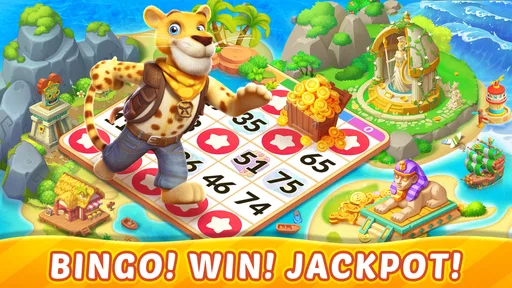
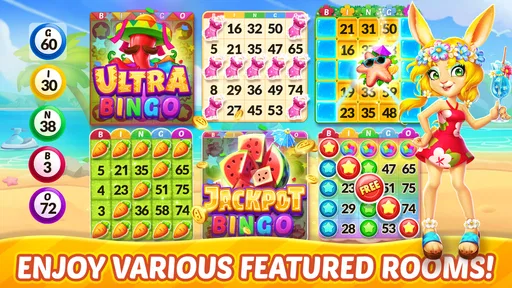
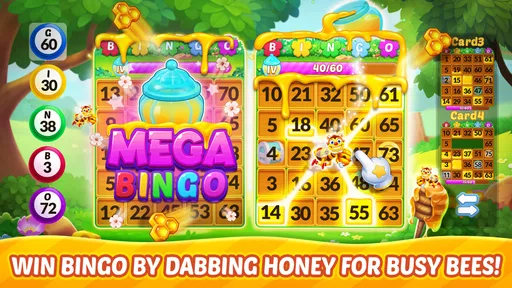



 Analysis by AppCompare
I’d judge a mobile bingo game less by its bright first screen than by what happens when I’m interrupted, unsure where to tap, or trying to keep a short session from turning into a long one. Bingo Aloha-Bingo Live at home is aimed at players who want familiar bingo on a phone, with a social, themed presentation rather than the feel of a bare digital scorecard. That makes it an inviting pick for a relaxed break, though it is not the same thing as playing at a physical bingo hall or using a stripped-down number-caller app.
It is a free board game from Century Games PTE. LTD., released on June 17, 2021. Its 4.9 average from around 214,000 ratings and more than 5 million installs suggest that many players have found an audience for its style. The age rating is Everyone, and it runs on Android 7.0 or later. The current version is 1.66.0, while optional in-app purchases range from $0.99 to $99.99 per item. I would keep that last point in mind before treating the game as a cost-free pastime: you can begin without paying, but purchases are part of the experience’s commercial setup.
Where the experience can trip you up
The first useful distinction is between wanting a quick, quiet number game and wanting bingo with the extra energy of a mobile game. The published description frames it around blackout bingo, bingo play, and at-home entertainment; it does not give me a reason to assume that every session will match the rules, pace, or atmosphere of a local hall. I’d approach it as a phone-first game and check the on-screen instructions for the mode I choose rather than rely on assumptions from another bingo app.
That matters if you are new to digital bingo. In a physical game, the caller, card, and pace are shared in the room; on a phone, the screen has to carry all of that information. Before committing to a round, I’d take a moment to notice where the active card and called numbers appear and how the game signals a marked square. That small orientation step is more useful than rushing into play and then wondering whether I missed a call.
Setup checks before a session
For a smoother first run, I’d start with a stable connection and enough time to finish the round I enter. This is general advice for an online game, not a claim that every interruption causes lost progress. If the app seems slow to respond, I’d pause before tapping repeatedly; rapid taps can make it harder to tell whether an action registered. I’d also make sure the device has room to install and run the game, and that its operating system meets the Android minimum if I’m using an Android phone.
It is worth deciding in advance whether I want to spend anything. The game is free to download, but optional items can cost from under a dollar to nearly a hundred dollars each. I’d treat purchases as optional extras, not a requirement for enjoying a round, and use the device’s purchase controls if I want to avoid accidental spending—especially when a child is playing on a family device. The Everyone rating makes the game broadly accessible by age, but it does not remove the need for an adult to set sensible spending boundaries.
Getting back on track when play stalls
If a session stops responding, I would first distinguish a temporary connection or device issue from a game rule I have not understood. Waiting briefly, checking whether other online services are working, and then reopening the app are sensible first steps. If the same problem returns, I’d note what I was doing when it happened and whether it occurs on the same connection. That gives me a clearer basis for deciding whether to try again later or seek help through the app’s available support route.
Worth Reading Before You Choose

EA SPORTS FC Mobile 26 Is a Bigger Football Game, but It Takes Time

Flipboard Shows What News Apps Must Do Beyond the Feed

Switching to Android Auto Means Rethinking Your Driving Routine

Google Calendar Makes a Crowded Week Easier to Manage

Ludo King Makes the Most of the Minutes Between Plans

Baby Panda World Brings Quick Play to Modern Phones, but Its Game Library Feels Busy
I would avoid repeatedly reinstalling the game as my first fix. Reinstallation can be disruptive, and I would not assume that every part of a session or account will restore in the way I expect. If I reach that point, I’d first check any in-app account or recovery guidance and make sure I understand what is connected to my progress. The practical rule is simple: try low-risk checks first, and do not make a bigger change while unsure what it may affect.
When the phone or connection may be the cause
A laggy round does not automatically mean the game itself is at fault. A weak or changing connection, a busy device, or an older phone can all make online play feel less smooth. I’d test the connection, close other demanding apps, and give the device a moment to settle before deciding that the game is broken. If the problem appears only in one place or on one network, that is a useful clue to check the local setup rather than keep tapping through the same stalled screen.
There is also a difference between a genuine loading problem and a round that is simply moving faster than I expected. When trying a mode for the first time, I’d read its instructions before play and watch how the screen communicates calls and progress. That reduces avoidable mistakes and helps separate unfamiliar rules from technical trouble. If everything else on the phone works normally but the same issue persists in the game, then it makes more sense to look for app-specific help.
Who will get the most from it
I can see this suiting someone who already enjoys bingo and wants a convenient way to play at home, or a casual player who likes a lively presentation more than a plain caller-and-card layout. It can fit a short break, but I would choose a round only when I have enough uninterrupted time to pay attention. If I’m waiting for a brief appointment or likely to be called away at any moment, a game that can be paused instantly—or a non-digital activity—may be the safer choice.
For a family setting, the Everyone rating is reassuring as a broad age classification, but it is not a promise that every child will find the interface simple or that optional purchases are irrelevant. I’d sit with a younger player at first, explain how to leave a round, and set purchase limits on the device. For adults playing together, the social side can make the phone feel less solitary, but it is still not a substitute for sitting around one physical table if the main goal is conversation and shared time.
Compared with a basic bingo app, the appeal here is the more game-like, themed approach and the sense of a broader online environment. The trade-off is that extra presentation can mean more to take in than a simple number caller. Compared with in-person bingo, it is easier to access from home but lacks the shared room, paper cards, and face-to-face atmosphere. I’d choose based on what I want that day: convenience and a mobile game experience, or the calmer simplicity and social presence of a traditional alternative.
Small habits that make sessions easier
One practical habit is to try a round when I can give it my attention, rather than opening the game in the middle of another task. Bingo depends on following calls, so splitting attention can turn a relaxing session into a frustrating one. Another is to check the selected mode’s rules each time I switch; familiarity with one style does not guarantee that another plays the same way. Those two checks help me avoid blaming the interface for confusion I could have prevented.
I’d also decide on a stopping point before starting. A mobile game can make it easy to continue when I only meant to take a short break, and optional purchases add another reason to be deliberate. Setting a time limit or choosing one session in advance keeps the game in the role I want it to play: a bit of entertainment, not a default way to fill every idle moment. If I find myself more interested in chasing rewards than enjoying the bingo itself, that is a good cue to take a break.
For troubleshooting, I would keep the steps proportionate: check the connection, let the screen finish responding, restart the app if necessary, and only then consider more involved changes. If the issue is tied to a particular device or network, trying a different stable connection can help narrow it down. If it follows the app across ordinary use, I’d use its support options rather than guess at a fix. This is a more reliable approach than repeatedly tapping, clearing things at random, or assuming a reinstall will solve everything.
People often want to know whether they can enjoy it without paying, whether it is suitable for a child, and whether it works for a very quick session. My take is that the game is free to start, while in-app purchases are optional but can be substantial; the age rating is Everyone, though adults should still supervise spending; and a short round can work when I have enough time to follow it. If uninterrupted attention is unlikely, I’d save the game for later instead of expecting it to behave like a pause-anytime distraction.
Another question is whether it is the right choice for someone who has never played bingo on a phone. I think it can be approachable, but I would not skip the instructions just because the basic idea is familiar. The useful test is whether the screen makes calls and card progress easy for me to follow after a practice session. If I still find the pace or presentation distracting, a simpler bingo app may suit me better; if I want a more animated, social mobile experience, this one has a clearer case.
There is a similar trade-off for experienced bingo fans. Familiarity with the game helps, but it does not mean every mobile mode will feel like the version played in a club or at home with paper cards. I’d treat the first session as a chance to learn this game’s rhythm rather than judge it against every detail of traditional play. That mindset makes it easier to appreciate the convenience without expecting the phone to reproduce the atmosphere of a room full of people.
Finally, I would not use ratings alone to decide whether it fits me. A 4.9 average is encouraging, but the right choice depends on how I feel about themed presentation, online play, and purchase prompts. I’d start with the free experience, explore the controls at a comfortable pace, and decide whether I enjoy the actual rounds before considering any optional spending. That is a better personal test than assuming a popular game must match my preferred style.
My practical verdict
First off, downloading and setting up Bingo Aloha-Bingo Live at home is a breeze. Available for both Android and iOS, it only takes a few taps and you're ready to dive into the world of online bingo. The app greets you with a vibrant and colorful interface that's both welcoming and easy to navigate. Seriously, even if you’re a newbie to the world of apps, you’ll find this one a cinch to use.
The Gameplay Experience
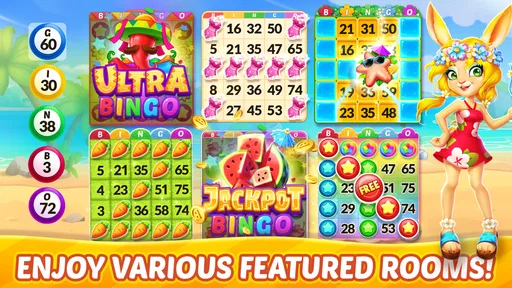
Once you’re in, the real fun begins. The game offers a variety of bingo rooms, each with its own unique theme and style. Whether you’re into tropical vibes or something more classic, there's a room for everyone. The gameplay is smooth and intuitive, allowing you to enjoy the bingo experience without any hiccups.
One thing I absolutely love is how the app keeps the excitement levels high. With live events and tournaments, there’s always something happening. It’s like stepping into a bustling bingo hall without having to leave your living room. Plus, the community aspect is fantastic. You can chat with other players, which adds a social element that makes the game even more engaging.
Features Worth Highlighting
What sets Bingo Aloha apart are the little extras that make a big difference. For starters, the rewards and bonuses are plentiful. From daily bonuses to special event rewards, the app keeps you coming back for more. And let’s not forget the power-ups! These little boosts can help you gain an edge during gameplay, making each round even more thrilling.
The app also offers customization options, allowing you to personalize your bingo experience. Whether it's changing your dauber or switching up your avatar, these small touches enhance the overall enjoyment.
Why You'll Love It
Now, let’s talk about why Bingo Aloha-Bingo Live at home might just become your new favorite app. For one, it’s incredibly accessible. You don’t need to be a tech whiz to get started, and the user-friendly design ensures you can focus on having fun rather than figuring out how things work.
Moreover, the app is perfect for both quick gaming sessions and longer playtimes. Whether you have five minutes or an hour, you can jump in and out of games with ease. It’s the perfect escape for those moments when you need a little break from reality.
Final Thoughts
All things considered, Bingo Aloha is a fantastic app for anyone who loves bingo or is looking for a fun way to pass the time. It combines the best aspects of traditional bingo with the convenience of modern technology, creating a delightful gaming experience right at your fingertips.
So, if you’re in the mood for some bingo action without the hassle of going out, give Bingo Aloha a try. It’s fun, it’s easy, and it’s right there on your phone waiting for you to join in on the excitement. Happy gaming!
Pros
- Engaging live bingo sessions.
- Colorful and vibrant graphics.
- User-friendly interface.
- Frequent events and updates.
- Social features for interaction.
Cons
- Occasional in-app purchase prompts.
- Requires stable internet connection.
- Limited offline functionality.
- Ads can be intrusive at times.
- Some features locked behind paywall.
FAQs for Bingo Aloha-Bingo Live at home
What is Bingo Aloha-Bingo Live at home?
Bingo Aloha-Bingo Live at home is a mobile app that brings the excitement of bingo to your fingertips. It allows users to play bingo games live with others from the comfort of their own home. The app offers various themed rooms, daily challenges, and bonuses to enhance the gaming experience.
Is Bingo Aloha-Bingo Live at home free to play?
Yes, Bingo Aloha-Bingo Live at home is free to play. However, it does offer in-app purchases for players who wish to enhance their experience with additional features or currency. These purchases are optional and not required to enjoy the core gameplay.
What platforms is Bingo Aloha-Bingo Live at home available on?
Bingo Aloha-Bingo Live at home is available for both Android and iOS devices. You can download it from the Google Play Store for Android or the Apple App Store for iOS. Make sure your device meets the app’s requirements for optimal performance.
Does Bingo Aloha-Bingo Live at home require an internet connection?
Yes, Bingo Aloha-Bingo Live at home requires a stable internet connection to function. Since the app features live bingo games and real-time multiplayer interactions, being connected to the internet ensures a smooth and uninterrupted gaming experience.
How does Bingo Aloha-Bingo Live at home ensure fair play?
Bingo Aloha-Bingo Live at home uses a random number generator (RNG) to ensure that all bingo games are fair and unbiased. The app is regularly audited to maintain integrity and fairness, providing players with a trustworthy and enjoyable gaming environment.


